
Folding LED Screen – Quick Setup & Adjustment
Required
- PC laptop (Windows, ViPlex installed)
- Viplex express download can be found here: https://en.vnnox.com/download
- Ethernet cable
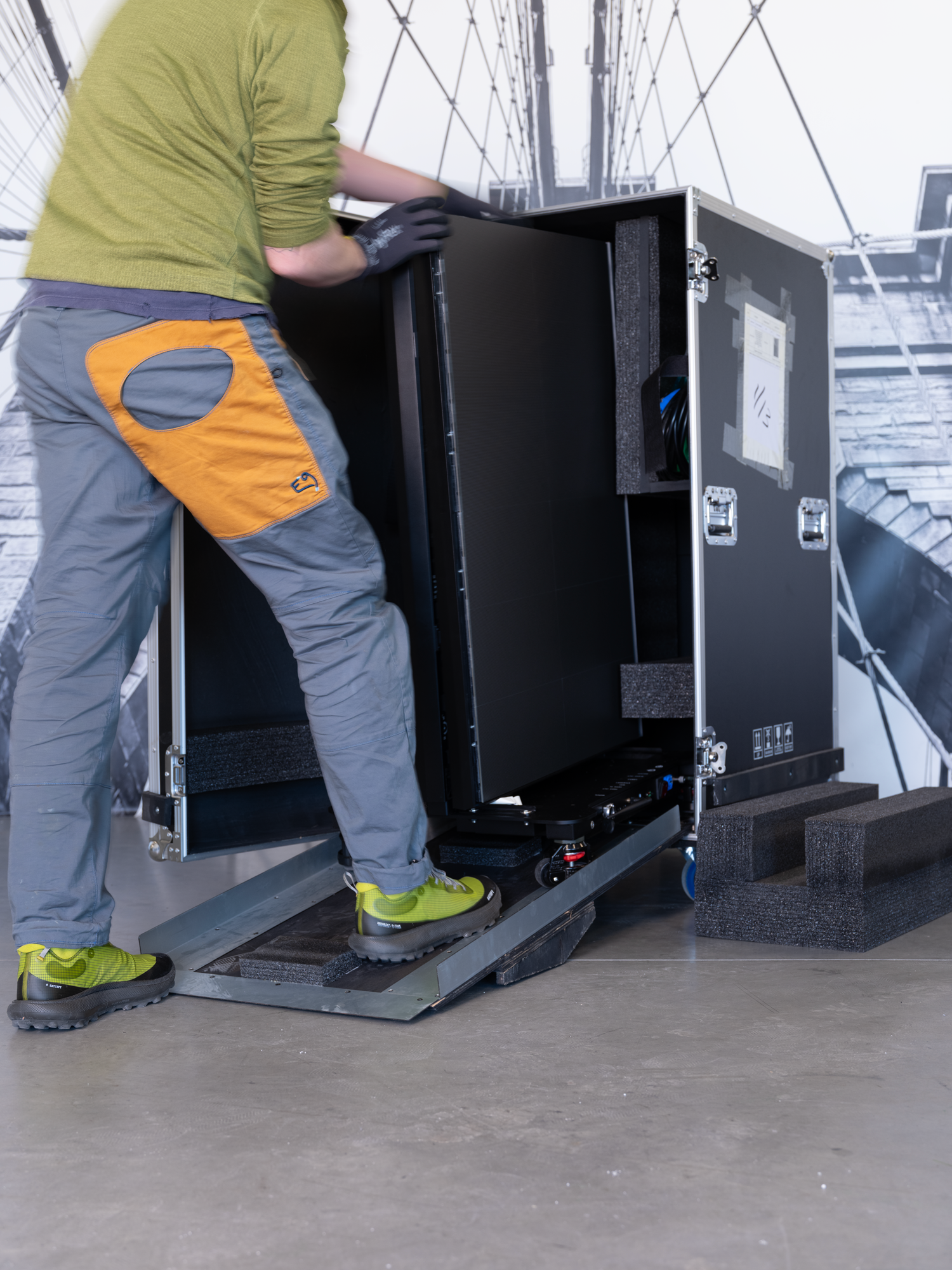
1. Remove Screen from Case
⚠️ Do not touch LED surface.
- Place case on flat surface
- Open case
- Lower ramp
- Unlock wheel locks
- Roll screen out slowly
- Position screen and lock wheels
2. Power & Connect
- Connect power to screen
- Connect Ethernet (laptop → processor)
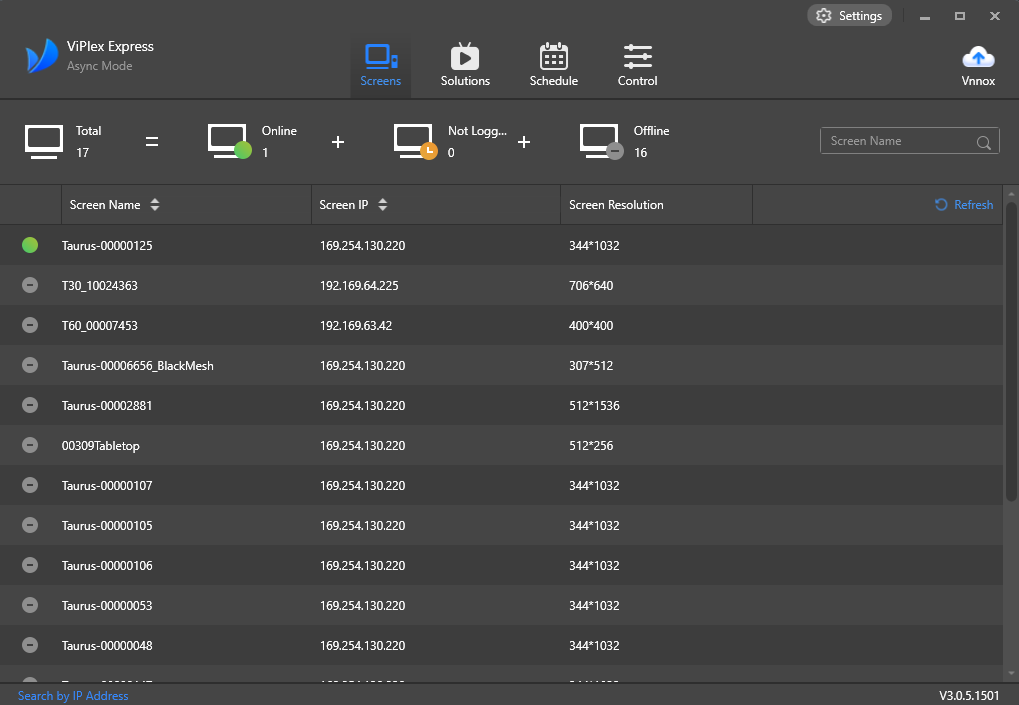
- Open ViPlex
- Connect to processor (click on green connected screen)
3. Adjust X Output Position
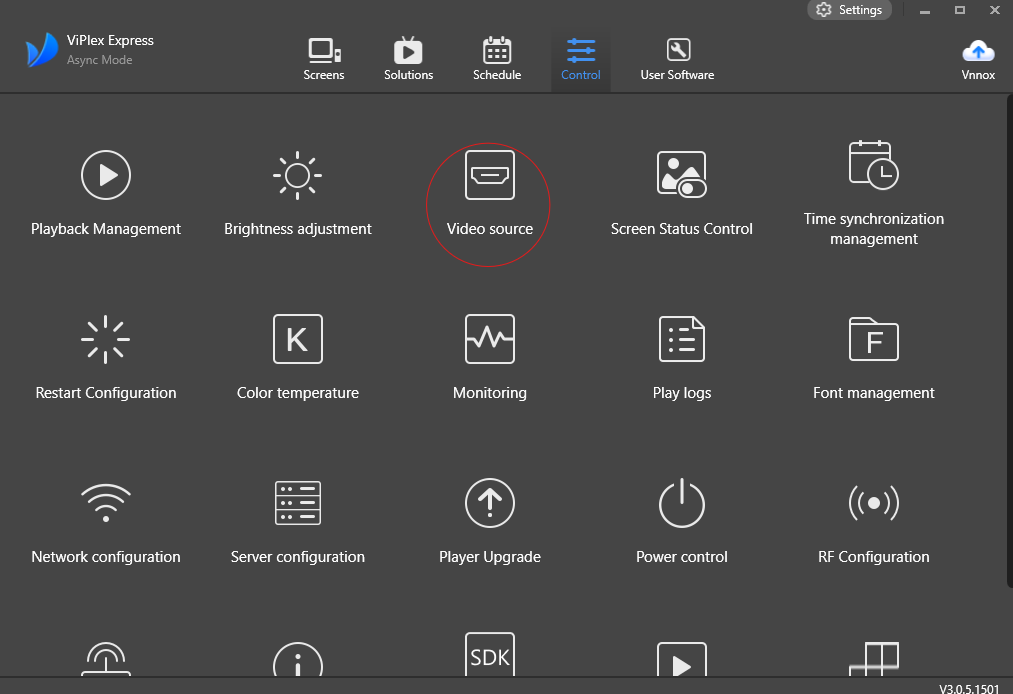
Path:
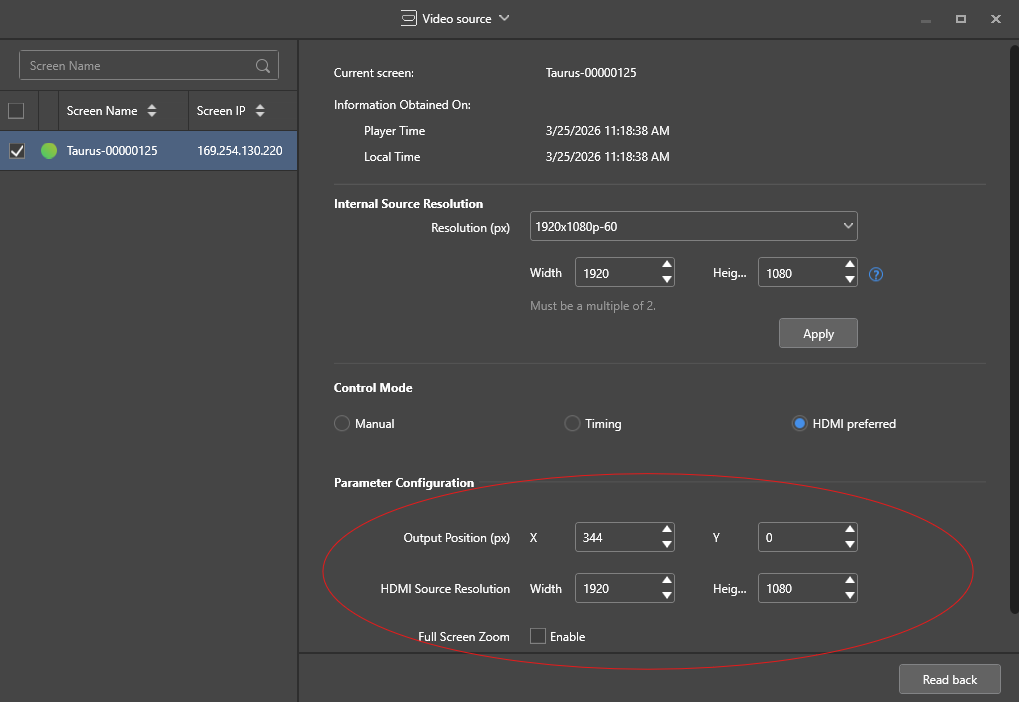
Settings → Video Source → Parameter Configuration → X Output Position
- Check current value
- Adjust as needed
- Apply changes
- Save and capture image of X value.
4. Verify
Verify each screen is set to the following:
- Screen 1: X = 0
- Screen 2: X = 344
- Screen 3: X = 688
- Screen 4: X = 1032
- Screen 5: X = 1376
- Screen 6: X = 0
⚠️ Important:
- Screens 1–5 increase by +344 px each
- Screen 6 resets to 0
- Capture an image of X value for each screen to share with Duggal.
5. Done
- Screen working properly
- Wheels locked
- Equipment secured
Notes
- Do NOT unfold screen